
The 6 Best Substack Notes Schedulers in 2026

Until 2026, the answer to “can you schedule Substack Notes?” was a flat “nope.” But now, folks looking to schedule their Notes on Substack are spoilt for choice.
Substack has its own built-in scheduler, and a handful of third-party tools can do it, too.
Why would you want to schedule anywhere other than Substack, though? Good question! If you’re a Substack- only creator, that option probably does make the most sense for you.
But plenty of Substack writers don’t post exclusively on Substack. A Note that lands well is often just as good on Threads, LinkedIn, or Bluesky — and manually copy-pasting it can become a bit of a nuisance.
That’s where third-party tools (particularly feature-rich social media schedulers) earn their keep. Most of them let you line up a week or two of Notes and social posts in one sitting instead of scheduling them one by one. Bonus: Several tools will even show you detailed analytics on how each Note performed — and which brought in new subscribers.
Sounds great, but with so many options, how do you know which Substack scheduler is the best fit for you? I explored six of the most popular options, including Substack’s own, to see how they compare.
Key takeaways
- Substack now schedules Notes natively and for free, up to about three months ahead. The catch is that you schedule one Note at a time, with no queue, calendar, or bulk scheduling.
- The biggest difference between third-party schedulers is how they publish. Some post from your open browser, some from a stored copy of your Substack login, some hand Notes to Substack’s own scheduler, and some use a direct integration.
- If you post a few Notes a week and nowhere else, you probably don’t need a paid tool.
- If Notes is one channel among several, a multi-platform scheduler (Buffer, Typefully) saves the most time. If Substack is your whole world, a Substack-only tool like WriteStack goes deeper.
The best Substack Notes schedulers at a glance
| Tool | Best for | How it publishes | Crossposts? | Free plan? | Paid from |
| Buffer | Crossposting Notes to other platforms | Direct connection via Substack’s API | Yes, 10+ platforms | Yes, for up to three channels | $6 per channel per month |
| Substack (native) | A few Notes a week | Substack’s own servers | No | Yes | — |
| WriteStack | Substack-only research and analytics | Chromium-based browser extension | Via Buffer add-on | No, seven-day trial | $23.99 per month |
| Typefully | X-first writers | Direct connection via Substack’s API | Yes | Yes, limited | $99 per year |
| Narrareach | Turning articles into Notes with AI | Hands off to Substack’s scheduler | Yes, incl. Medium | Yes, five Notes per month (Substack only) | $19 per month |
| StackSweller | Simple flat-price cloud queue | Stored session | No | No | $25 per month |
Can you schedule Substack Notes natively?
Yes, you can schedule Substack Notes. Substack rolled out native Notes scheduling in spring 2026, on both web and mobile.
Here’s how to do schedule on Substack:
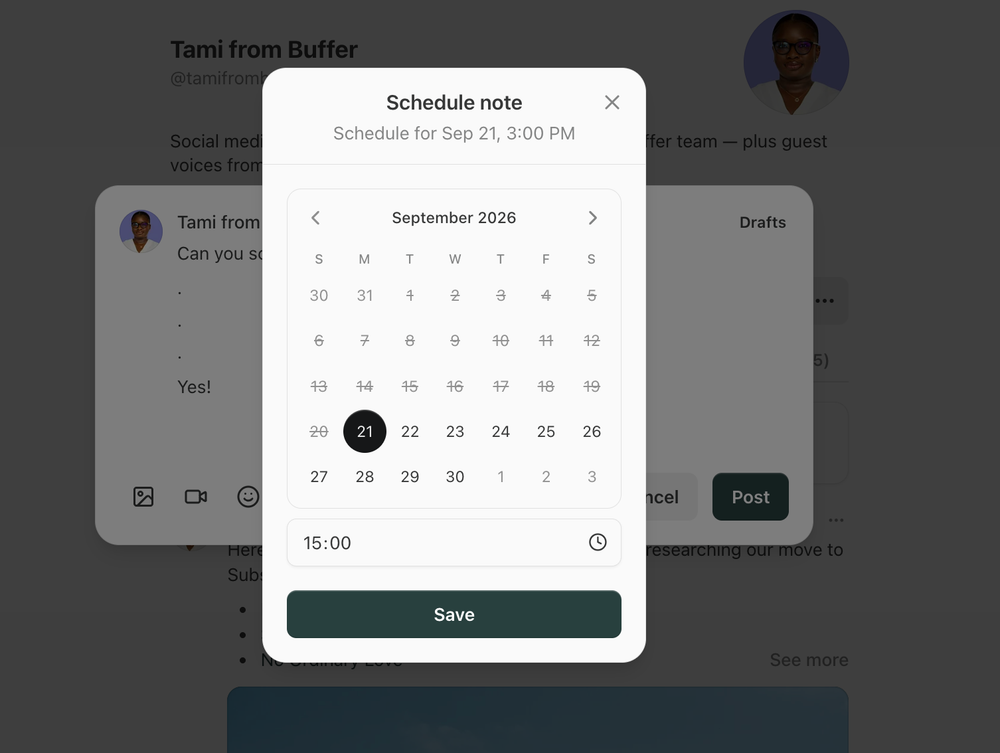
- On web: open the Notes composer, click the calendar icon, choose a date and time, hit Save, then Schedule.
- On mobile: tap the three-dot menu in the composer, choose Schedule, and pick your slot.
You can schedule up to about three months out. Scheduled Notes sit in your drafts until they go live, so you can still edit them. (If you’re newer to the platform, our guide to how Substack works covers Notes versus posts.)
The catch is that you schedule one Note at a time. There’s no queue, no bulk scheduling, and no way to crosspost your content elsewhere (say, Threads, X, or LinkedIn, which are all natural fits for Notes-type content.)
Those are the gaps all the third-party tools are trying to fill.
How a scheduler publishes might matter more than its features
Before we dig in, a quick note on something that tripped me up a little in testing. Not every scheduler publishes the same way, and the method might affect whether your Note goes out at all. Here are the most common ways:
- Browser extension. The tool posts from your own browser at the scheduled time. WriteStack works like this, and it’s only available in Chromium-based browsers (basically, not Safari or Firefox).
- Stored session. The tool keeps a copy of your logged-in Substack session on its servers and posts from there. This works with your laptop closed. The trade-offs: sessions expire, so you’ll reconnect every so often, and you’re trusting a third party with access to your account.
- Handoff to Substack’s scheduler. The tool pushes your Notes into Substack’s native scheduler ahead of time, and Substack publishes them. Nothing on your end needs to stay switched on.
- Direct integration. You connect your Substack account the same way you’d connect Instagram or LinkedIn: sign in to Substack, approve access, and you’re done! The scheduler then posts through Substack’s own API. Nothing needs to stay open on your end, and the tool doesn’t store a copy of your login. Buffer and Typefully both work this way.
That doesn’t necessarily mean any of the above is a ‘bad’ choice. But it’s still worth knowing how these things work before you sign up (and pay!) for them.
The 6 best Substack Notes schedulers
1. Buffer — best Substack Notes scheduler for crossposting to other platforms
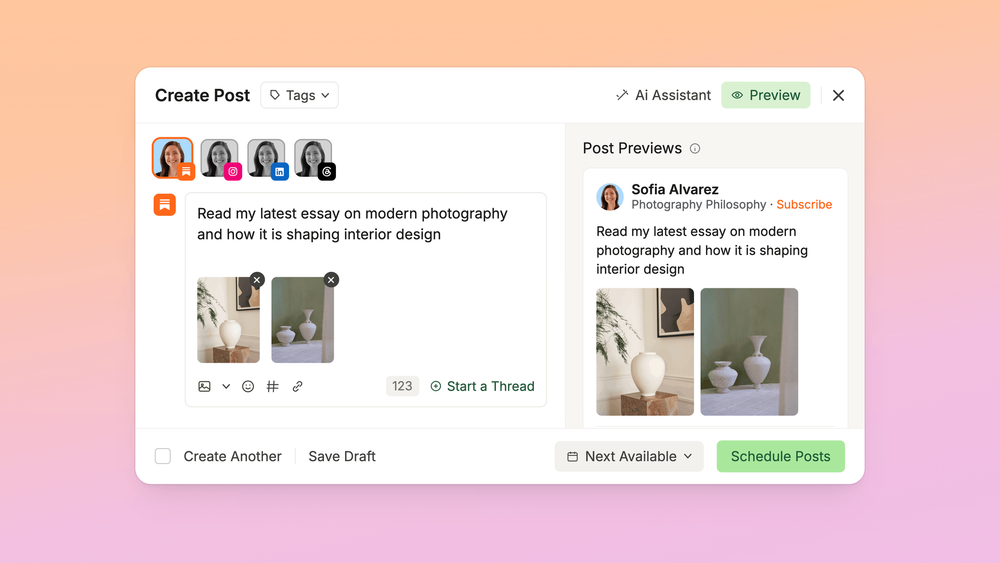
Buffer added Substack Notes in September 2026, after the integration request passed 1,100 upvotes. You connect Substack alongside X, LinkedIn, Threads, Bluesky, Instagram, and more, and schedule Notes from the same calendar. You can schedule Substack Notes on Buffer’s forever-free plan (which includes up to three channels), too!
Quick disclosure: I work at Buffer, so my view here is certainly not biased. But, as a long-time creator, social media manager, and newsletter writer who used Buffer for many years before I was hired, I genuinely find the tool tough to beat for ease-of-use and flexibility. Plus (this really matters to me as a serial tool tester) the app is just beautiful. It’s a pleasant, smooth place to work — which takes so much of the friction out of staying consistent.
What stands out:
- Write once, adapt per channel. You can tweak the LinkedIn or Threads version of a Note without copy-pasting between tabs.
- Subscriber analytics. Buffer shows which Notes bring in free and paid subscribers, plus impressions and engagement.
- Resharing old posts. You can connect your Substack as a feed so your published posts are ready to share on your other channels.
- Teams and multiple publications. You can collaborate on drafts and schedule across more than one Substack account.
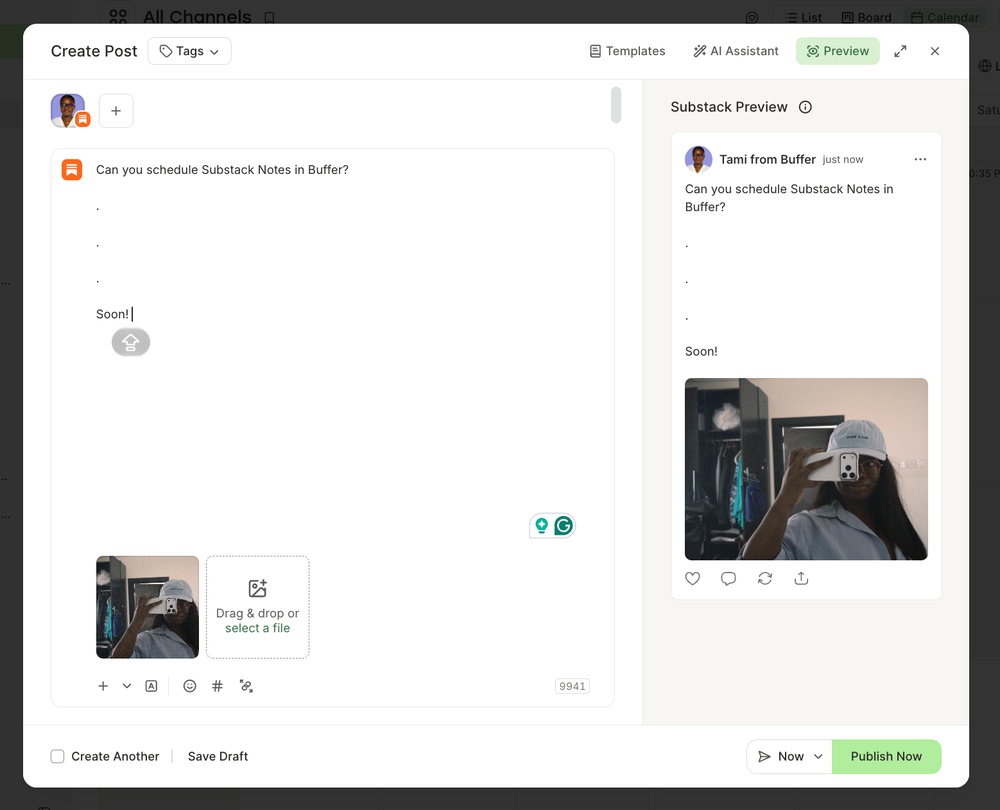
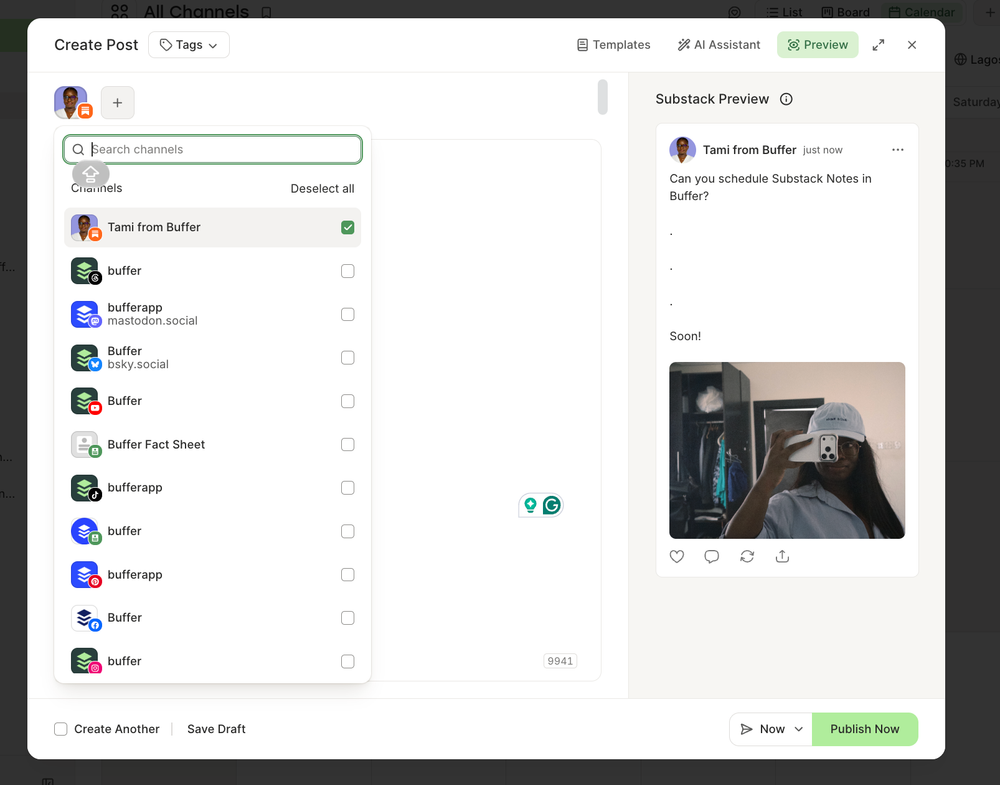
Pricing: Substack Notes scheduling is available on the Free plan (you can have up to three channels). Paid plans start at $6 per channel per month, or $5 per channel when billed annually.
2. Substack’s native scheduler — best free option for a few Notes a week
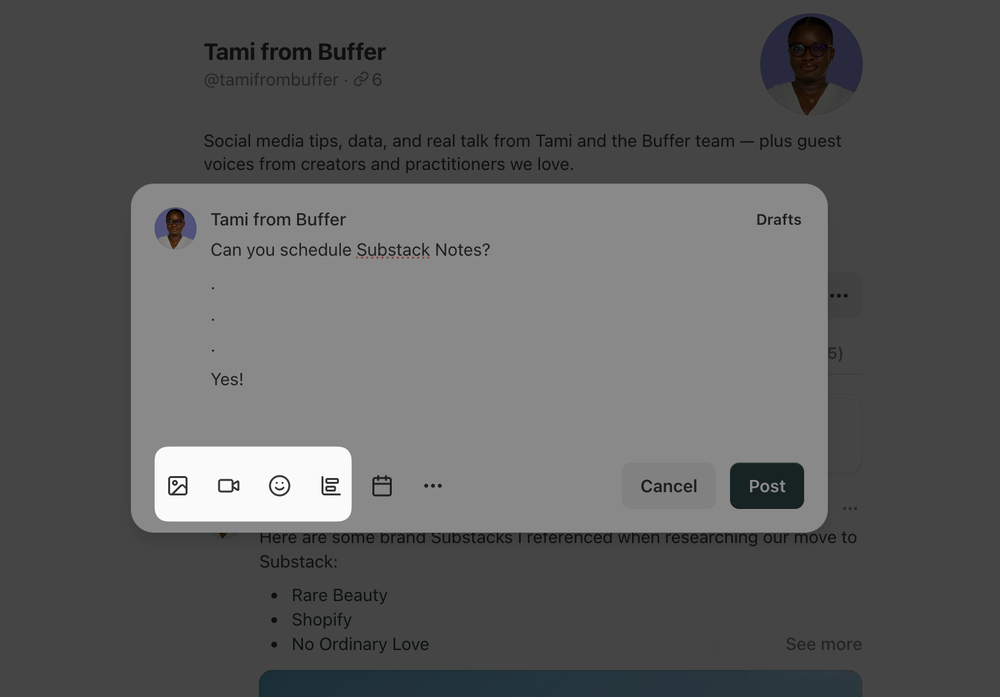
If you post two or three Notes a week, and aren’t creating on any other social platforms, I’d recommend you start with this option.
What stands out:
- Free and built in. There’s no extra login, extension, or account connection.
- Substack publishes it, so it goes out whether your laptop is open or not.
- Three months of runway. That’s enough for a quarter’s worth of launch Notes, if you’re that organized (I am not).
Pricing: Free.
3. WriteStack — best for Substack-only writers who want research and analytics
WriteStack is a well-loved Substack-only tool, built by solo founder Orel Zilberman. (Fun fact: WriteStack is partly built on Buffer’s API, and we’ve written about how Orel built cross-platform scheduling for Substack creators!)
What stands out:
- A queue built around your followers, with default posting times set by when your followers are most active.
- Research: a searchable feed of top-performing Notes across Substack.
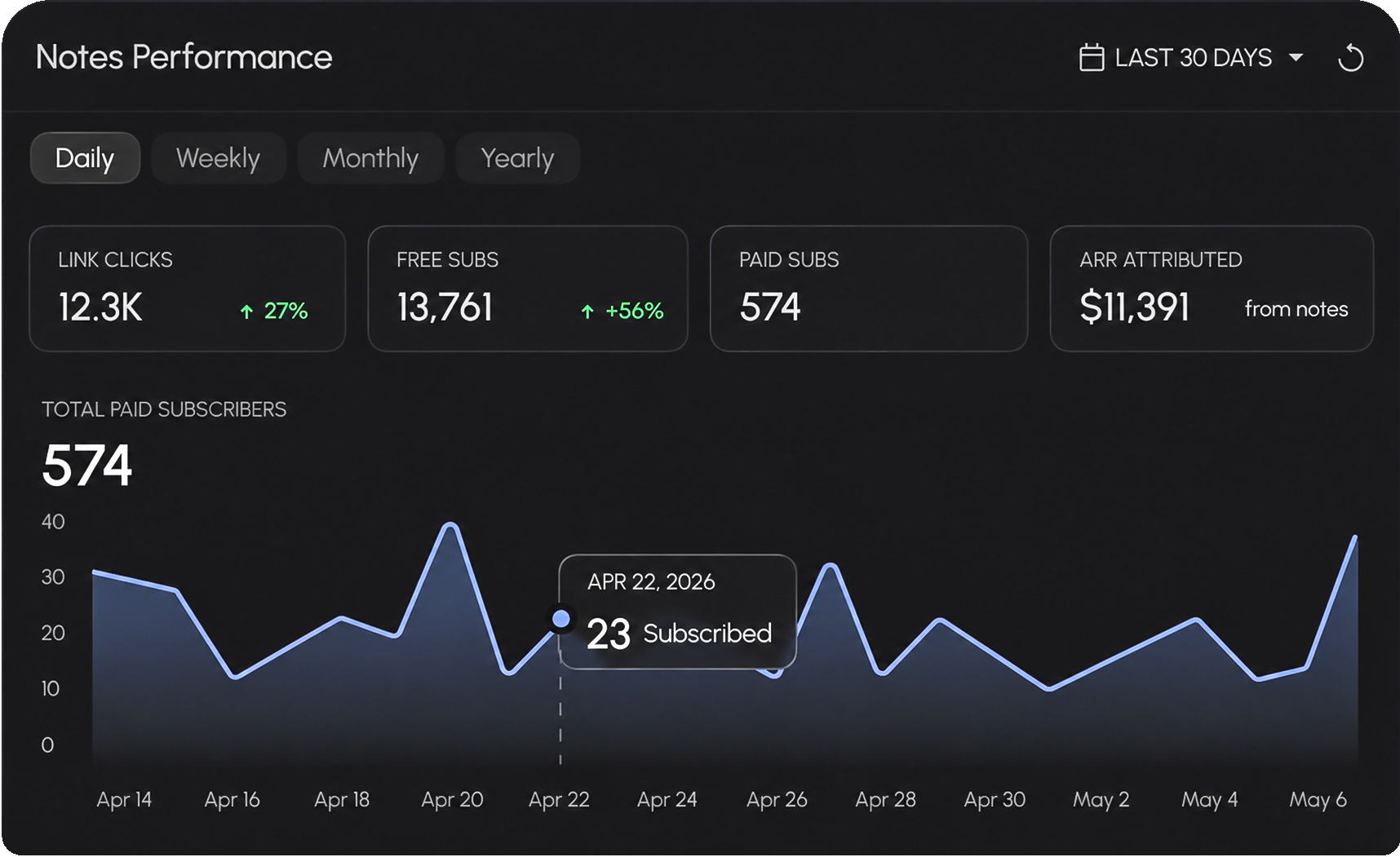
- Subscriber analytics: every Note in one sortable view, including which ones converted to free and paid subscribers.
- AI Notes in your voice, trained on your past posts, plus an MCP connection for Claude.
Worth knowing: WriteStack only works in Chromium browsers (not Safari or Firefox).
Pricing: No free plan (7-day trial). $23.99, $32.99, or $99.99 a month
4. Typefully — best Substack Notes scheduler for writers whose main platform is X
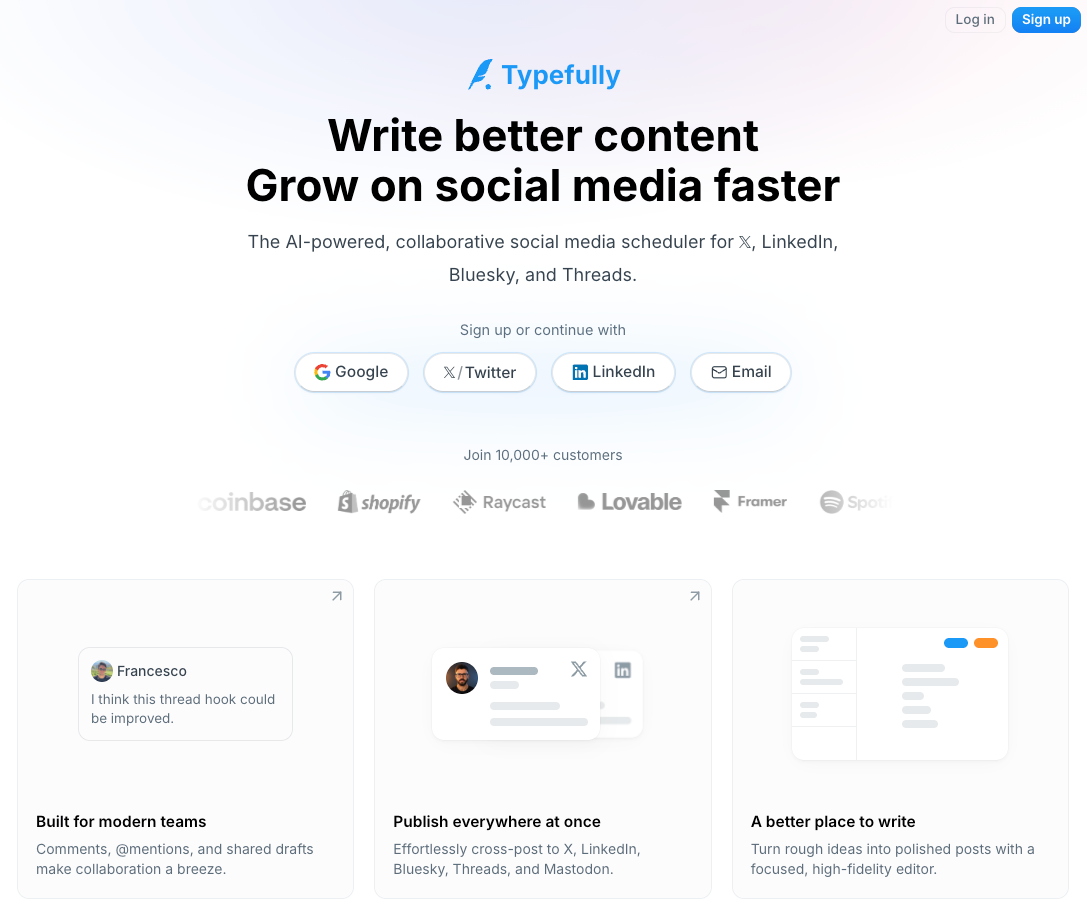
Typefully added Substack Notes in July 2026, on every plan including free. Notes sit next to X, LinkedIn, Threads, Bluesky, and Mastodon in a writing-first composer.
What stands out:
- Notes on the free plan. This is one of the cheapest ways to schedule Notes alongside other platforms (Buffer also offers this).
- A composer built for writers. Typefully has a really clean, focused composer, with an AI writing assistant built in.
- Images and GIFs are supported in Notes.
It’s worth noting that Typefully doesn’t support video in Notes yet, so now that Substack Notes supports video (woohoo!), you might want to look elsewhere, like Buffer, if you plan to post video.
Pricing: Free plan includes Notes; paid from $99 per year.
5. Narrareach — best for turning articles into Notes with AI
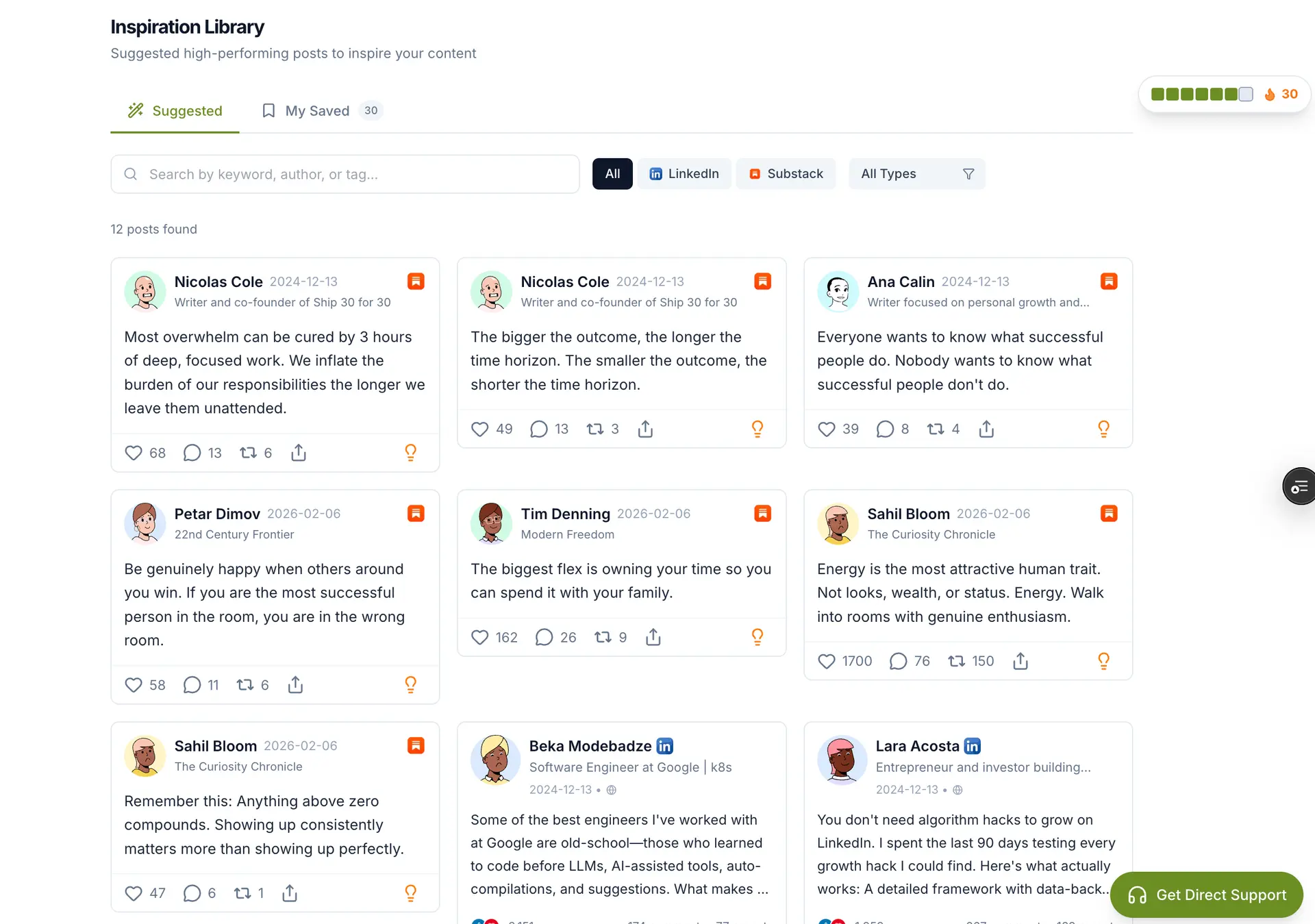
Narrareach’s pitch: paste in an article, and its AI cuts it into Notes and short posts, then batch-schedules them.
What stands out:
- Article-to-Notes repurposing. A helpful way to go from zero to one in converting long-form content into posts.
- CSV import and batch scheduling, for planning several weeks at once.
- Crossposting to LinkedIn, X, Bluesky, Threads, and Medium. It’s the only tool on this list that covers Medium.
Setup runs through a Chrome extension, and Narrareach hands your Notes to Substack’s own scheduler to publish. It only does this for “eligible” Notes, and doesn’t say which ones qualify, so double-check before relying on it for anything with media.
Pricing: Free plan (5 Notes a month, Substack only). Paid plans: $19, $39, or $89 a month.
6. StackSweller — best simple Notes queue at a flat price
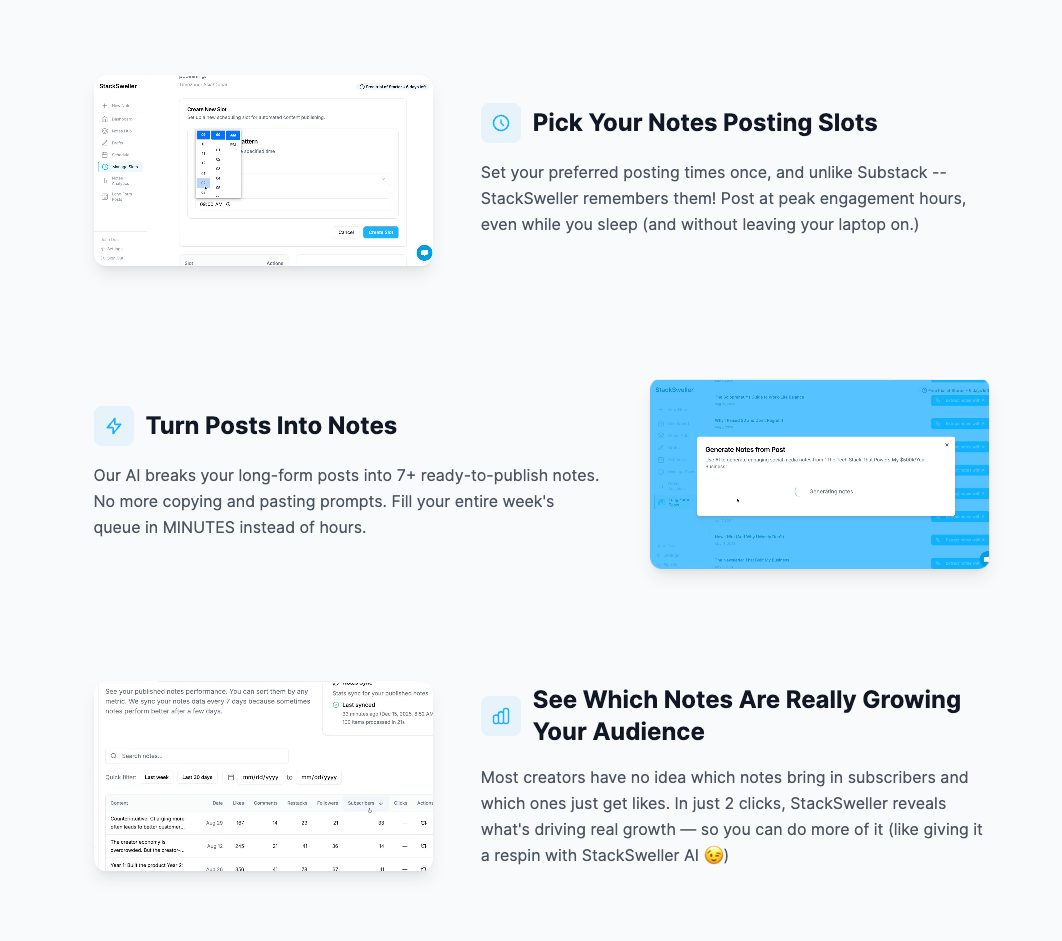
StackSweller does one thing: a Substack Notes queue that publishes from the cloud, so your laptop can be closed when your Note goes out. There’s no crossposting and no research feed — it’s a scheduler and nothing else, which is exactly what some writers want.
What stands out:
- Unlimited Notes: As many Notes as you can post for one monthly or annual fee.
- Slot-based scheduling: set your posting times once, then fill them.
- Paste-in bulk scheduling, plus AI that turns a post into a stack of Notes.
However, StackSweller is still in beta, so you may encounter a few bugs here and there. Also, it stores your Substack session on its servers. Setup has involved pasting a session cookie by hand, which isn’t for everyone, and sessions can expire, so you may need to reconnect from time to time.
Pricing: $25 per month or $250 per year.
How to choose a Substack Notes scheduler
Start with two questions: where else do you post, and how many Notes a week?
- A few Notes a week, Substack only: the native scheduler.
- Daily Notes, Substack only: WriteStack if you want research and your computer is reliably on. Try StackSweller if you just want a queue.
- Notes plus X, LinkedIn, Threads, or Bluesky: You can’t beat Buffer for cross-platform planning, scheduling, and analytics.
- Long posts you want chopped into Notes: Narrareach.
A scheduler’s job is to keep you posting consistently, which does most of the work when you’re trying to grow a newsletter. Posting four times a day doesn’t help if you can’t write four good Notes a day, so it’s absolutely fine to start with one.
If you’re not sure where to start, try Substack’s native scheduler for a couple of weeks. You’ll find out quickly whether scheduling one Note at a time works for you, or whether you’d rather have a proper queue — and by then, you’ll have a better sense of which Notes are worth sharing beyond Substack, too.
Happy scheduling (and happy Noting)!
Frequently asked questions
Can you schedule Substack Notes?
Yes. Since spring 2026, Substack schedules Notes natively on web (calendar icon in the composer) and mobile (three-dot menu, then Schedule), up to about three months ahead. Third-party tools add queues, bulk scheduling, and crossposting.
What’s the best free Substack Notes scheduler?
Substack’s own scheduler is free and doesn’t require your computer to be running in order for your posts to be published. For free scheduling alongside other platforms, Buffer is an excellent choice — the forever-free plan gives you access to planning, scheduling, analytics, and a bunch of other powerful features for up to three channels (including Substack Notes).
Is it safe to give a scheduler access to my Substack account?
It depends on how the tool publishes:
- Browser-extension tools post from your own logged-in browser.
- Stored-session tools keep a copy of your login on their servers.
- Handoff and direct-integration tools avoid both.
I always recommend you check a tool’s help docs and user reviews before connecting.
Can I crosspost Substack Notes to X, LinkedIn, and Threads?
Yes. Buffer, Typefully, and Narrareach all do it from one composer. WriteStack does it through its Buffer add-on.